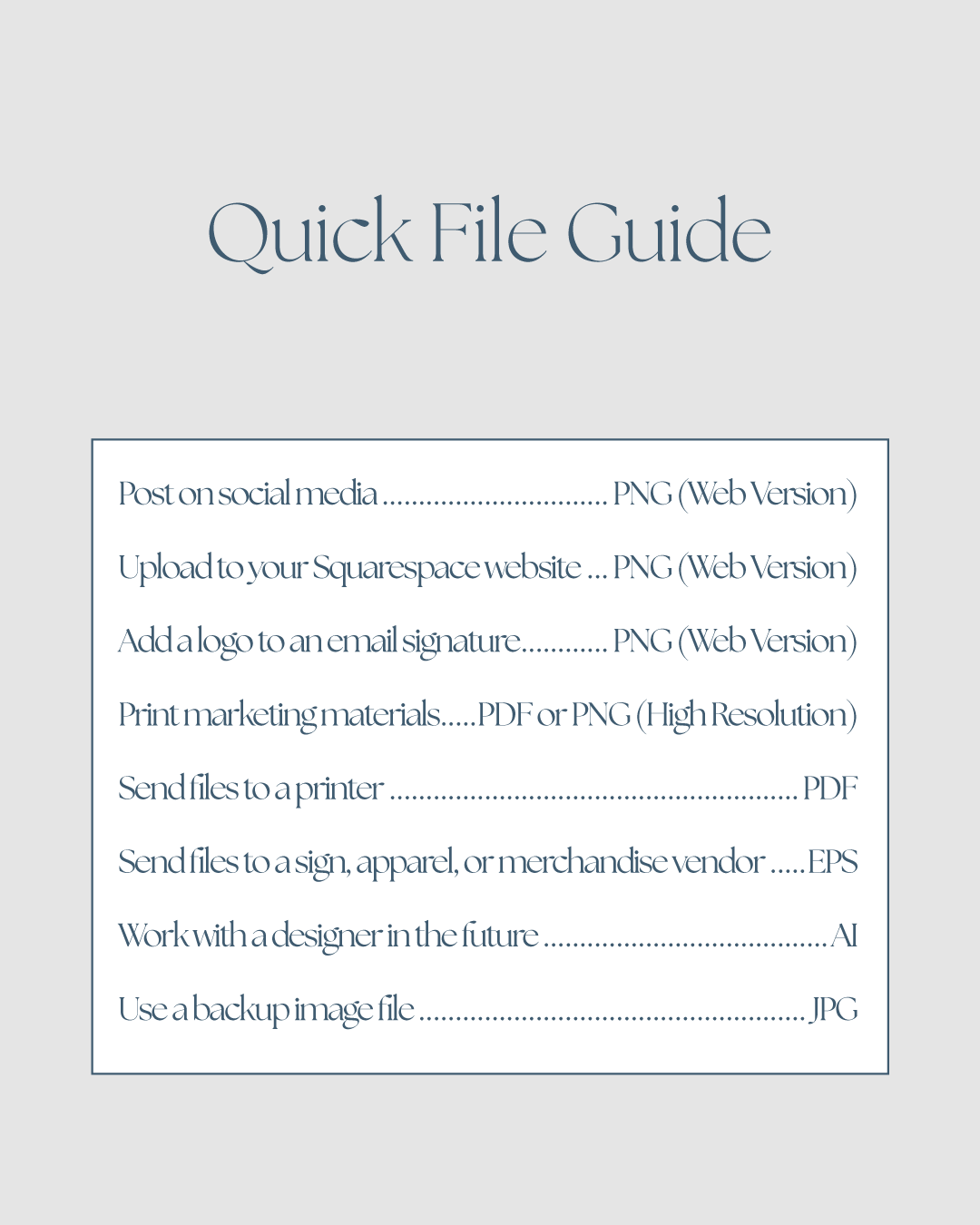
If you’ve ever worked with a brand designer, you most likely know there are a number of different files types that you use depending on the application. If a designer gives you a pile of files and you aren’t really sure what to use them for, here is a guide that I find helpful when I share files with my clients.
AI File - Your Master File
This is the original Adobe Illustrator file used to create your logo.
Use when:
Working with a professional designer in the future
Making significant edits to your logo
Creating new file formats as needed
Tip: Keep this file stored safely, even if you never open it yourself.
PNG (Web Version) - Your Everyday File
This version is optimized for digital use and will likely be the file you use most often.
Use for:
Websites
Social media
Email signatures
Presentations
Digital marketing materials
Tip: If you’re unsure which file to use, start with this one.
PNG (High Resolution) - For Use in Print Designs
Use when adding your logo to flyers, brochures, presentations, signage, or marketing materials created in Canva, Word, PowerPoint, or other design software.
Use for:
Flyers
Posters
Signage
Marketing materials
Large-format graphics
Tip: When creating something that will be printed, use this version instead of the web version.
PDF File - Your Professional Print-Ready File
This file is designed for professional printing and maintains excellent quality at any size.
Use for:
Business cards
Letterheads
Brochures
Stationery
Professional printing projects
Tip: Most print shops will prefer a PDF file.
EPS File - Your Vendor File
This professional production file is commonly requested by specialty vendors.
Use for:
Apparel and merchandise
Embroidery
Promotional products
Vehicle graphics
Sign shops
Tip: You may never use this file yourself, but many vendors will request it specifically.
JPG File - Your Backup File
A standard image format that is accepted almost everywhere. Unlike PNG files, JPGs do not support transparent backgrounds. This means your logo will always appear on a solid background color, typically white.
Use for:
Platforms that don’t support PNG files
Situations where a simple image file is needed
Tip: Use PNG files whenever possible and save JPGs as a backup option.